
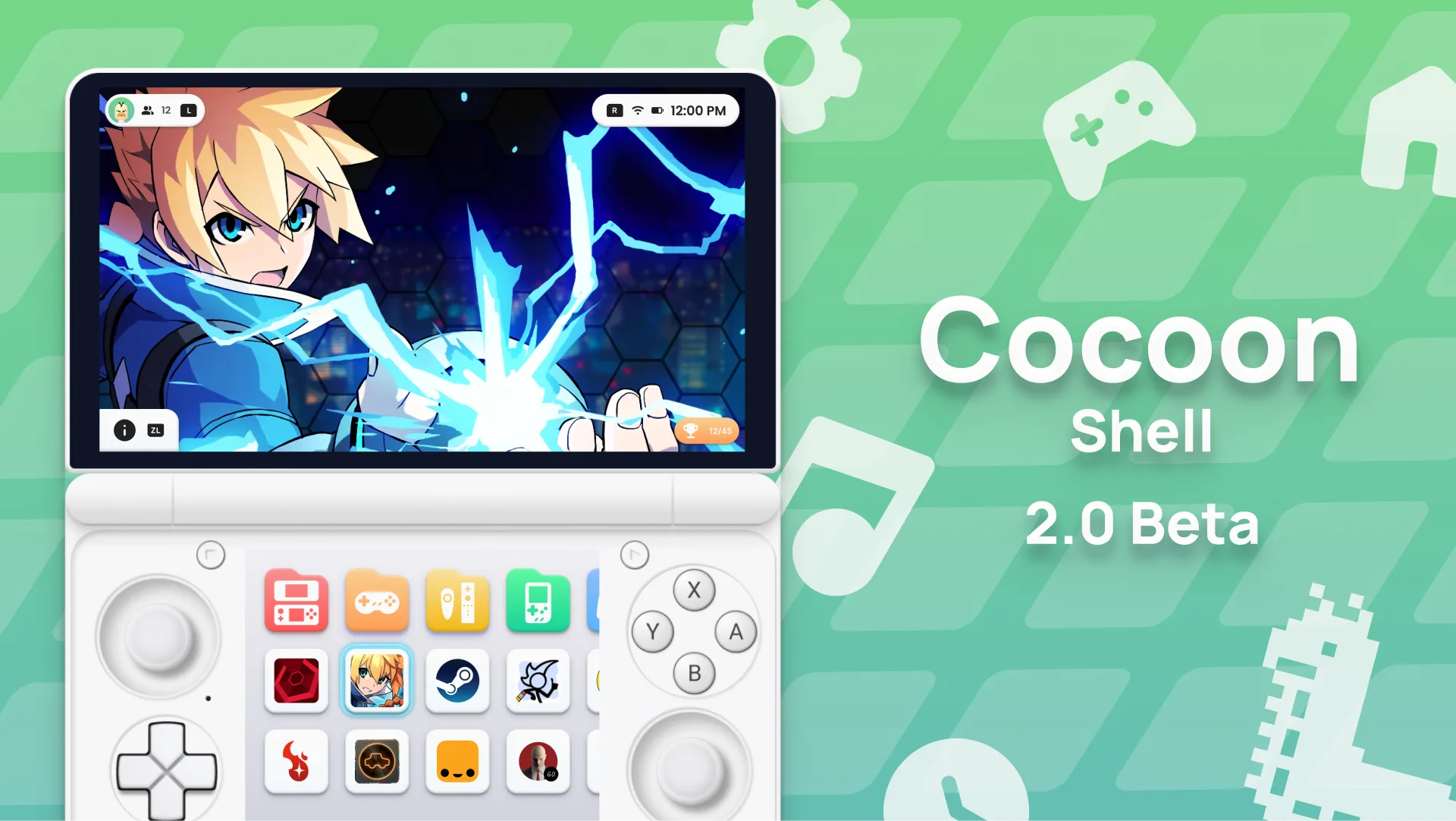
Cocoon Shell 2.0 Is Here celebration
After over a month of work, we’re thrilled to release Cocoon Shell 2.0 - the biggest update in Cocoon’s history. This isn’t just an update, It’s a complete reimagining of how your game library looks, sounds, and feels. Rewritten. From scratch.
Let’s dive into everything that’s new.
Download Beta 2.0music_note Background Music & Sound Effects
Cocoon now has a full audio system, built with love by @Anti.
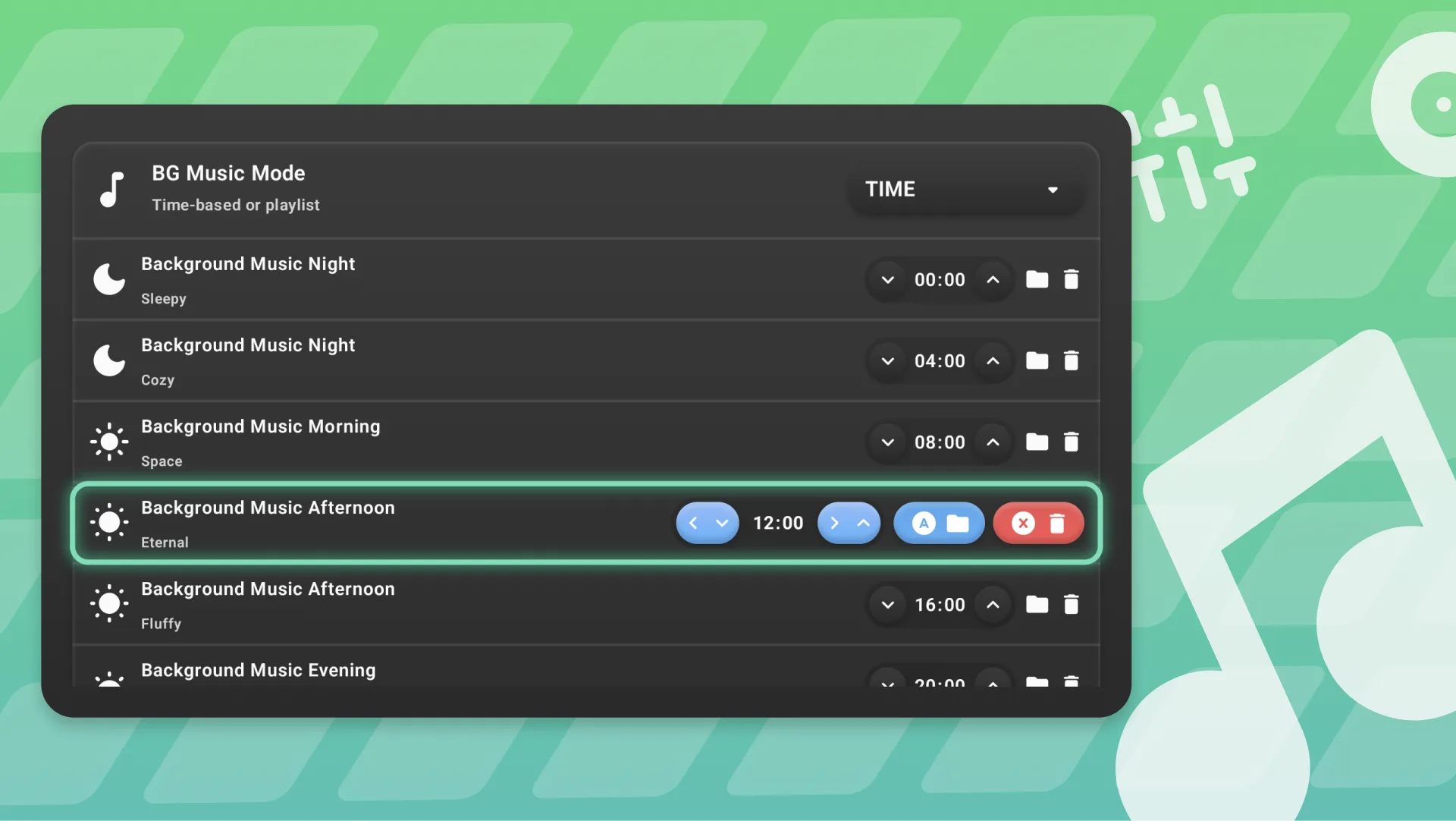
Background Music
Cocoon finally has a soundtrack. The default mode is Time, which plays different music depending on the time of day - morning, afternoon, evening, and night each get their own vibe. You can customise this with your own time-based playlist, or switch to Playlist mode where you upload your own tracks and play them in order or shuffled.
Find it under Settings → General → Sound Settings.
New Sound Effects
Every interaction has been given a fresh set of sounds. Navigation, selecting, opening folders, reordering games, opening the friend list, swapping screens, and more. This transforms Cocoon into a whole new experience
Just like music, all sounds are fully customisable in the same Sound Settings menu.
palette Themes
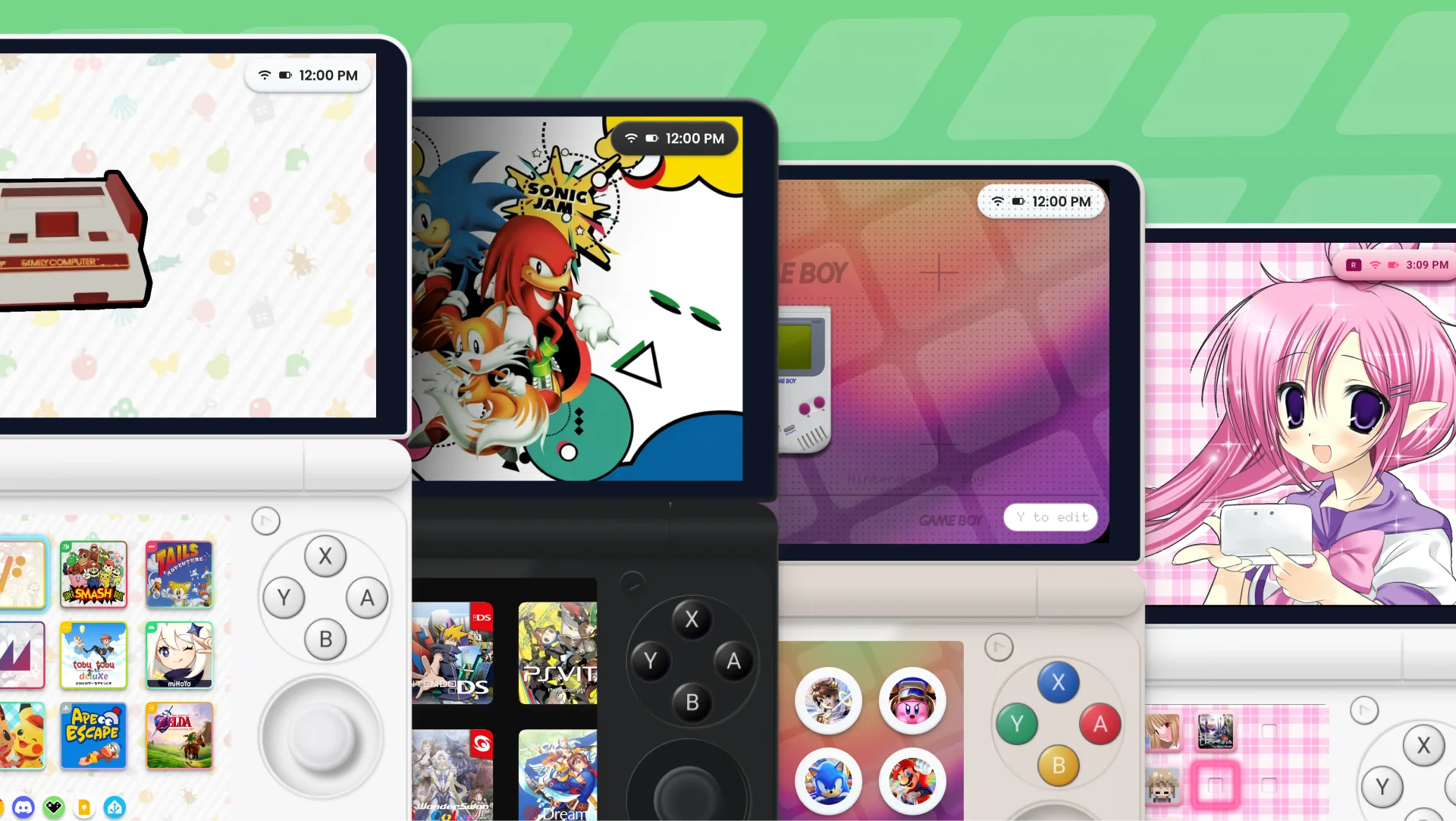
Cocoon now supports full themes that you can create, share, and mix-and-match.
A theme can include:
- Colours & accents
- Sound effects
- Background music
- Custom icon overlays
- Smart folder icons and hero images
- …and more coming soon
Mix & Match
With our comprehensive, modular themeing system, you can use any parts of any theme and combine them into your own, truly allowing you to make Cocoon feel like YOUR launcher.
Share Your Setup
With just one tap, bundle your assets into a shareable folder, ready to be imported at any time.
Apply Modes
- Replace - permanently copies all theme assets into your setup
- Append - references the theme at runtime, keeping things lightweight
bug_report Meet Grub - The Setup Wizard
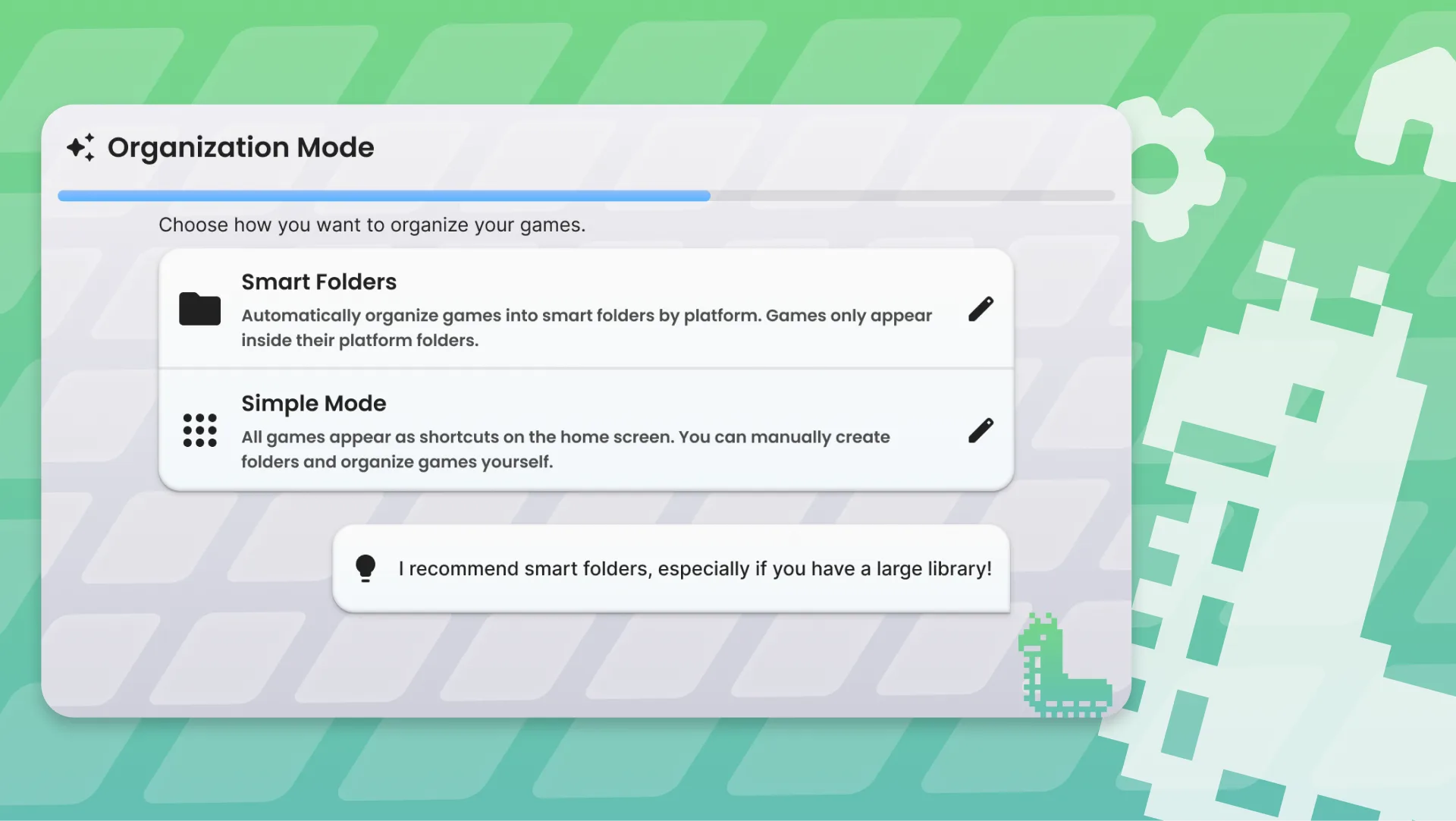
First-time setup just got a lot more fun. Grub, our mascot, now guides you through an interactive setup wizard complete with custom music, dialog bubbles, and a progress bar. It walks you through everything you need to get up and running.
smartphone Single-Screen Layout
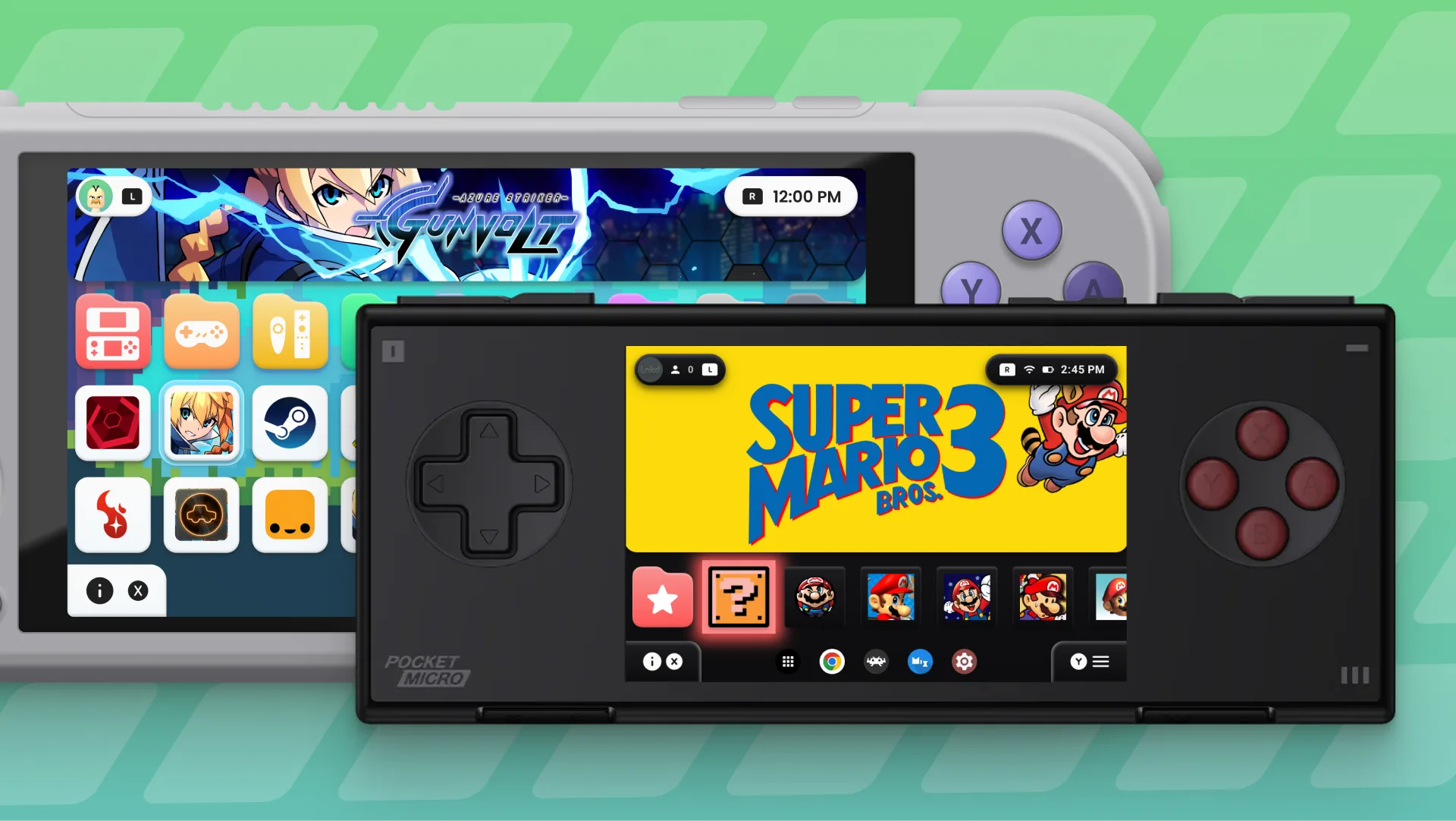
Cocoon was originally built for dual-screen handhelds, but not everyone has two screens. Well that’s totally fine now. The new single-screen layout is fully optimised for standard Android devices.
Huge thanks to @Rdust and @lnkd for concepting and designing the layout, capturing the Cocoon style beautifully on a single display.
timer Better Game Tracking
Cocoon now uses Android’s usage stats to properly detect whether a game is running - even if it’s in the background. This powers two things:
- Discord Rich Presence - more stable and accurate status updates
- Playtime Tracking - see how long you’ve played each game (a Play Log activity is coming soon for visualising and editing this)
sports_esports Games & Platforms
Smarter Setup
Only platforms found during first-time setup are included in your library now. Want to add a platform later? Head to Settings → Library & Data → Add (Y), pick your platform, and Cocoon will try to find the folder automatically.
Quality of Life
- Cocoon auto-selects only emulators that are actually installed on your device
- Platform names have been cleaned up (thanks @NaviVani)
- Added PICO-8 support (also thanks @NaviVani)
- ROM importing now supports all accepted file types, not just the default player’s
- Only installed emulators show up in the player list - no more confusion
- App shortcuts are fixed and work much better
- Improved support for
.m3u,.chd,.iso, and.cuefiles
search Scraping Overhaul
Scraping has been completely reworked to give you more control.
- ScreenScraper is now available as an art source alongside SteamGridDB
- Custom priority order - choose which sources come first, disable ones you don’t want
- Parallel scraping - SteamGridDB and ScreenScraper now run at the same time for faster results
- Granular control - scrape artwork only, metadata only, or both
- Flexible scope - scrape missing data, all games, or just a specific platform
- Per-game rescraping - rescrape individual games from their edit menu, taking the display name into account
- Media picker - when editing a game or folder, choose art from SteamGridDB, ScreenScraper, or upload your own
grid_view Grid & Navigation
The game grid has been rebuilt from the ground up.
Animations
- Games animate smoothly to their new positions when you zoom in/out or swap them around
- Context menus and dialogs now morph into each other with slick transitions instead of separate popups (and animation speed is configurable)
Lazy Loading
The grid now uses a custom lazy-loading system - only items visible on screen are rendered, which means better performance with large libraries.
Empty Spaces & Edit Mode
- The grid now supports empty spaces that appear dynamically as your library grows - use them to lay out your grid exactly how you want
- Edit Mode lets you reorder games, apps, and folders using just your controller. Press A/Y on an empty slot and select “Edit Grid” to get started (or drag & drop on touchscreen)
- Cocoon Settings and Add Folder are now accessed from the empty slot context menu.
folder Folders
- Nested folders - organise with sub-folders for as many levels as you need
- Fullscreen mode - folders can now open as full-screen menus instead of floating dialogs
- Navigation position and zoom levels are saved and restored when you reopen a folder
- New smart folder type: Favourites
fullscreen Hero Display
Three display modes for game hero art: Fullscreen, Vignette, and None. You can also adjust hero logo scale and vignette size from a dedicated Hero Settings screen.
brush Custom Icon Overlays
Set up custom icons for specific platforms using a mask and overlay system. This lets you add platform-specific badges or styles to your game icons - check out what the community has already done with these, the results are stunning.
apps App Drawer & Dock
- The app drawer now has an A–Z handle for quick scrolling
- Previously hidden apps (like Files) now show up properly
- Dock context menu - right-click or long-press dock items for launch, clear, and screen selection options
- General polish and improvements throughout
auto_awesome More Highlights
- Accent theme system - toggle accent colours on selected items, icon backgrounds, and gradient/glow effects independently
- App icon customisation - adjust icon roundness, scale, and hover scale with a live preview
- Live wallpaper passthrough - use your Android system live wallpaper as the Cocoon background
- Video & wallpaper system improvements
- Game info animations - smooth transitions that follow your navigation direction, no more flickering
- Startup delay - Cocoon now waits a few seconds after a device restart to let the system settle
- Configurable animation speed - speed up or slow down all animations globally
- Discord Rich Presence now shows your most recently scraped game icon
Thank You
Cocoon 2.0 wouldn’t exist without the incredible community that’s been testing, reporting bugs, and sharing ideas. Special shoutouts to @Anti for the audio system, @Rdust and @lnkd for single-screen design, and @NaviVani for platform cleanup.
Join the Discord to share your setups, themes, and feedback. And if you’d like to support development, check out our Ko-Fi.
Download Beta 2.0Happy gaming! gamepad