
Post 2.0 favorite
First of all, from the Cocoon team, we owe you a huge thank you. The support, kindness, excitement and love has been extremely overwhelming. We surpassed 1,500 subscribers and 30,000 youtube views in less than 24 hours which was an extremely pleasant surprise. Cocoon started as a passion project for me, and its not evolved into a large community all sharing their passion of games. We’ve seen people adding eachother on Discord to take advantage of our social features, sharing themes and assets and so many kind comments about how amazing the experience is. The following post will be addressing some frequently asked questions regarding Cocoon, some upcoming fixes and a general roadmap.
Frequently Asked Questions
Q: What is Cocoon?
I understand that our presentation may have come off as a little ambigious, especially with its wide spread across YouTube. We created it originally as somthing for our existing userbase and close communities to experience. But it’s now become much more than that, so I owe you a better explaination.
Cocoon is an emulation frontend (similar to EmulationStation & Pegasus) which acts as an application to organise your library and launch games through Emulators. Cocoon is not an emulator, not a device, and does not contain any copyrighted material at all.
Q: Why isn’t Cocoon open-source?
As I previously mentioned, Cocoon started as a personal passion project of mine. Over time it has grown massively as I’ve shared progress, taken on an immense amount of community suggestions, and transformed it into a public spectacle. I never had intentions to open-source it, simply because it’s my baby. However I have made a promise, and I’m here to clarify that if for whatever reason I am no able to support and update Cocoon, the source code will be made public to be passed on to someone else. I understand concerns with longevity, the future state of Cocoon and time management in general. All I can say is the future is bright and I’m making many preperations and commitments to ensure this isn’t a dying torch.
Q: Will Cocoon be coming to Windows or Linux?
Our current scope is strictly for Android. I created this initially as an app for my AYN Thor device. However, its definitely not out of the question. After we have implemented our main features, have provided complete stability and have a lot more free time we will look into porting it to other platforms. It’s an extremely difficult task for a small team to ensure an even, consistent experience across Platforms - especially ones that some of our team don’t use as much.
Upcoming Fixes
We’ve heard you all loud and clear. Every gripe, every User Experience issue, everything. During the next few updates we’ll be rolling out a bunch of fixes and improvements including:
- Audio fixes
- ‘Start’ button to open settings
- RetroAchievements scraping reliability - improvements for chd and rvz
- Wiki improvements
- Auto subfolders in smart folders for folders within your ROM directories
- Sorting mode - sort your grid, folders and smart folders by recently played, time played, and more
- List view for console smart folders - the classic frontend experience with a visual coat of paint
- ES-DE improvements. A 0 wait experience that uses ESDE as the source for the art and metadata, meaning no copying, no waiting. Cocoon will use your ESDE folder directly, and any changes will be loaded as a priority from your Cocoon folder. This means you can enjoy a seamless experience between the two with no overlap!
- 24h clock following system settings
- Battery percentage
…and a pile of smaller changes on top.
The Roadmap map
Here’s what we’re working towards as we move closer to a stable 1.0 release. Some of these are already in progress, others are further out - but they’re all on the list.
play_circle Now Playing Screen
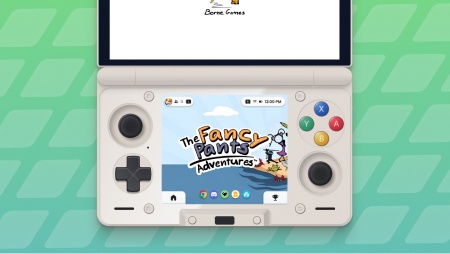
When you launch a game on a dual-screen device, the opposite screen currently just sits there. We’re changing that. The second screen will show a dedicated Now Playing view with your game art, achievements, dock shortcuts, and quick access to settings. When you’re focused on your game it’ll fade down to a dim, monochrome view until you tap it. Lightweight, useful, and out of your way when you don’t need it.
schedule Activity Log
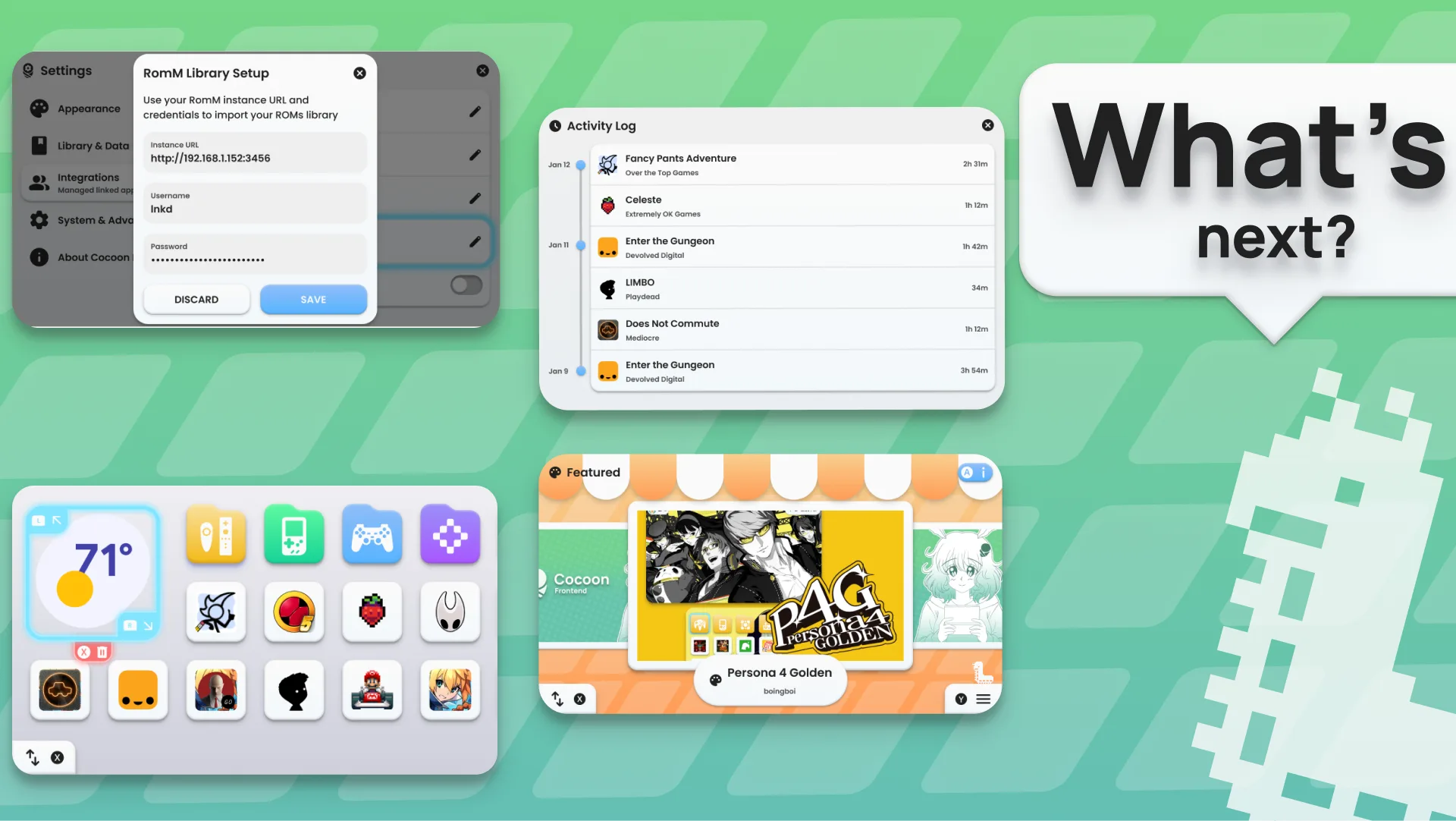
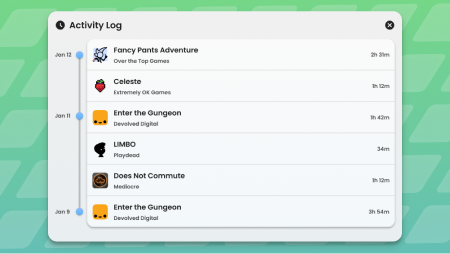
We already track playtime under the hood, but right now there’s no good way to see it. The Activity Log will give you a full breakdown - gameplay sessions, times launched, daily usage, and the ability to edit entries if something looks off. If you’ve ever wanted to know exactly how many hours you’ve sunk into a game, this is for you.
storefront Theme Shop
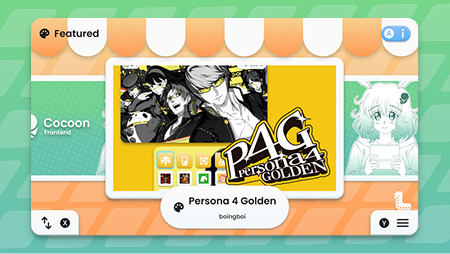
Right now sharing themes means zipping up folders and passing them around manually. The Theme Shop will let you browse and download themes directly inside Cocoon from a curated database. It’ll be guided by Grub’s brother Shrub, with his own style, music and personality. We want theme browsing to feel like its own little experience, not just a list of downloads.
smartphone Single Screen Improvements
Single-screen mode shipped for the first time in 2.0, which means it still needs a lot of real-world testing and polish. The goal is to get it on par with dual-screen mode as quickly as possible - same features, same level of polish. If you’re using Cocoon on a phone or a single-screen handheld, expect it to get noticeably better over the next few updates.
dashboard Companion Apps
On dual-screen devices, we want to let you pin apps alongside your games on the second screen. Think game guides, Discord, a browser, whatever you find useful while playing. Launch a game on one screen, have your companion app ready on the other.
widgets Widgets
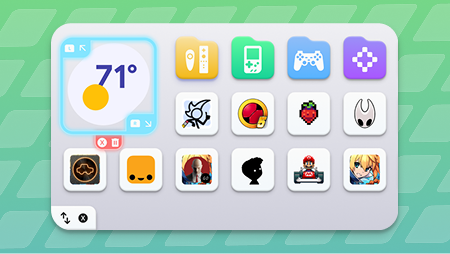
Android widgets and our own custom widgets placed directly into your grid. Clock, Discord status, friends list, whatever you want mixed right in with your games and folders. Maximum customisation.
cloud_sync RomM Integration
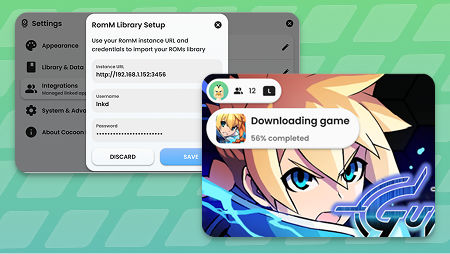
If you run a RomM server at home, you’ll be able to connect it directly to Cocoon. Browse your entire server library from your device, download ROMs straight to local storage, and delete them when you’re done - all without leaving Cocoon. No need to mess with file managers, SMB shares, or manually transferring things over USB. Just point Cocoon at your RomM instance, log in, and your full collection is right there. Pick what you want, play it, and free up space when you need to. Everything stays in sync with your server so you always know what’s available.
Smaller Things on the List
- Custom platform support
- Community events
Thank You (Again)
Seriously, we didn’t expect this kind of response. Every bug report, feature suggestion, theme share, and kind word keeps this going. We’re a small team working on something we genuinely love, and having this many people along for the ride makes it worth every late night.
Join us on Discord if you haven’t already, and if you’d like to support development, our Ko-Fi is always appreciated.
More updates soon. gamepad