
Cocoon Shell 2.1 Beta rocket_launch
⚠️ Heads up: If you have trouble launching games, go to Settings → Library & Data, delete each ROM path and platform, then re-add them. 2.1 includes permission changes that may require a one-time manual relink. This also fixes an issue where media randomly unlinks and games stop launching after a while. You should also rescrape your achievements using the Force All option to ensure everything is matched correctly.
2.1 is a massive one. We’ve been cooking this for a while and honestly, it touches almost every part of Cocoon. New screens, new audio, new ways to organise your library, a completely reworked theme system, and a whole keyboard on your bottom screen. Let’s get into it.
Download Beta 2.1storefront Silk Pod
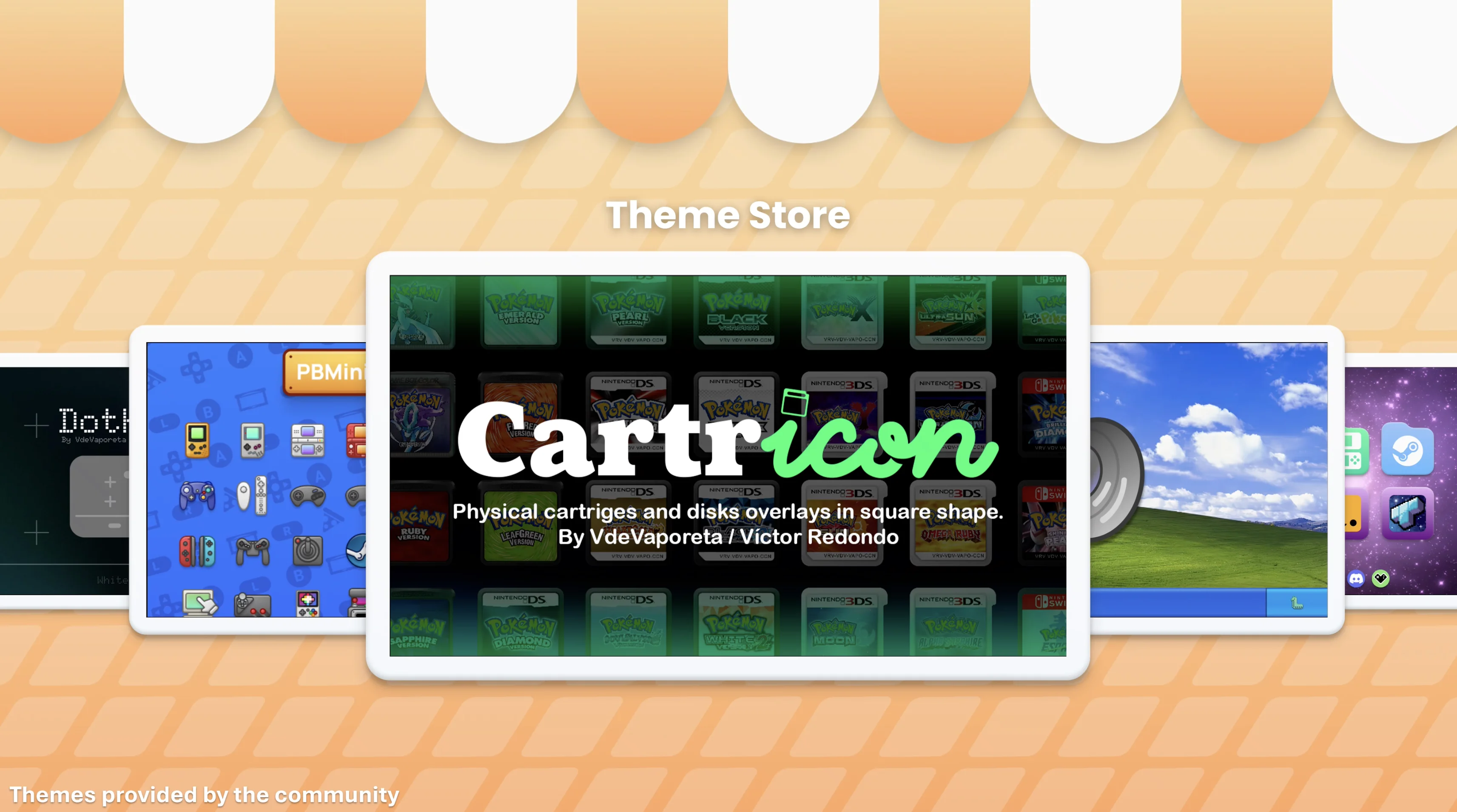
Silk Pod is Cocoon’s community theme and asset store. Browse, download, and install themes and asset packs made by other users, or submit your own. You can find featured, popular, and newly uploaded content all in one place.
It’s not just themes either. Silk Pod handles icon overlays, smart folder art, sound effects, and music packs. Access it in-app through Settings → Appearance → Silk Pod or browse the web version at cocoon-shell.com/themes.
build Theme Builder
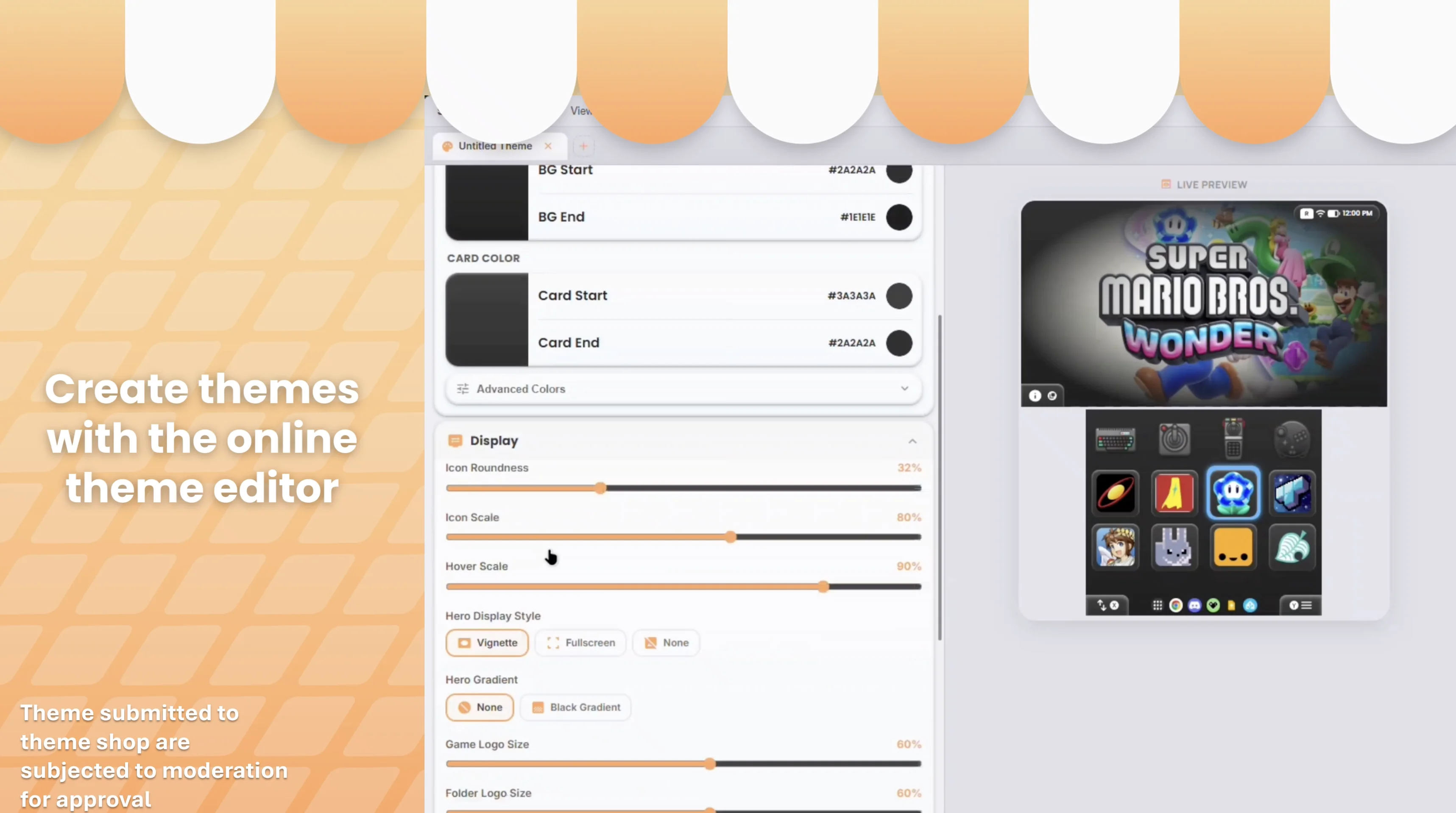
We built a whole web app for creating themes. The Theme Builder gives you a live dual-screen preview while you work and exports ready-to-use ZIPs that you can drop into your Cocoon directory or submit straight to Silk Pod.
You can create full themes with colours and wallpapers, icon overlays, smart folder artwork, sound effect packs, and music packs. Or import an existing ZIP to tweak it. It’s all right there in the browser.
play_circle Now Playing
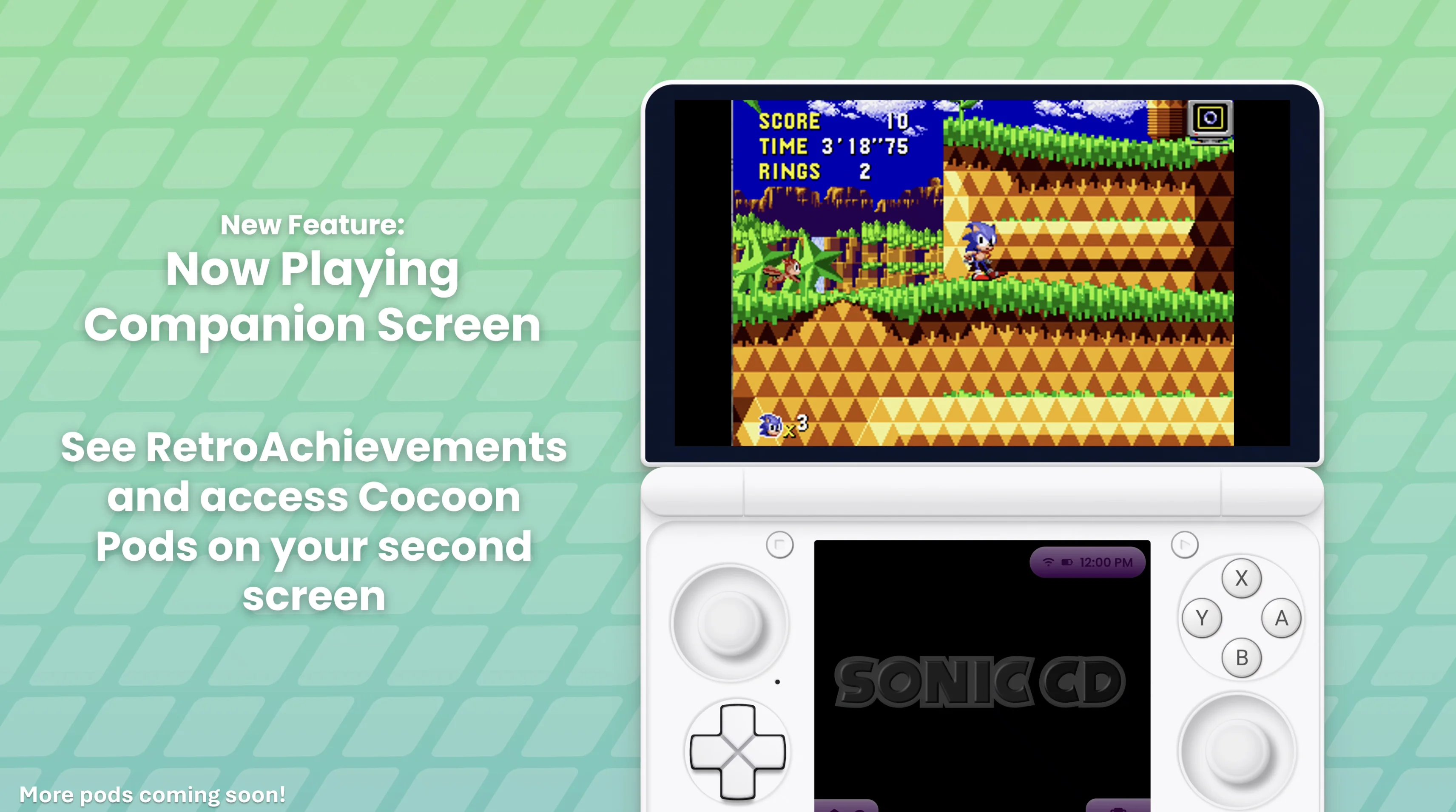
Remember that teaser from the Post 2.0 roadmap? It’s here. When you launch a game on a dual-screen device, your second screen is no longer just sitting there doing nothing. You get a full Now Playing view with your game art, session info, and quick access to your dock.
The whole thing has smooth animations going in and out, and when you’re focused on your game it dims down to stay out of the way. Tap it and it comes right back.
We also added a Now Playing bar to the grid itself. Your tracked games sit on the left side of your grid so you can quickly jump back into them or end your session with Y.
Customise how it all looks and behaves in Settings → Appearance → Now Playing.
music_note Game Jingles
This one is special. You can now set audio files on your games that play when you hover over them, just like the 3DS banner jingles. Upload your own audio files per game, or set up Jingle Repositories in Settings → Library & Data to import from community GitHub repos, fully searchable and scrapable by name.
Quick note: we don’t condone hosting copyrighted material. Cocoon has no control over user-run repositories and we won’t be hosting our own. Use your own media at your own risk.
Check out the full guide on the Jingles wiki page and the example repository if you want to set up your own.
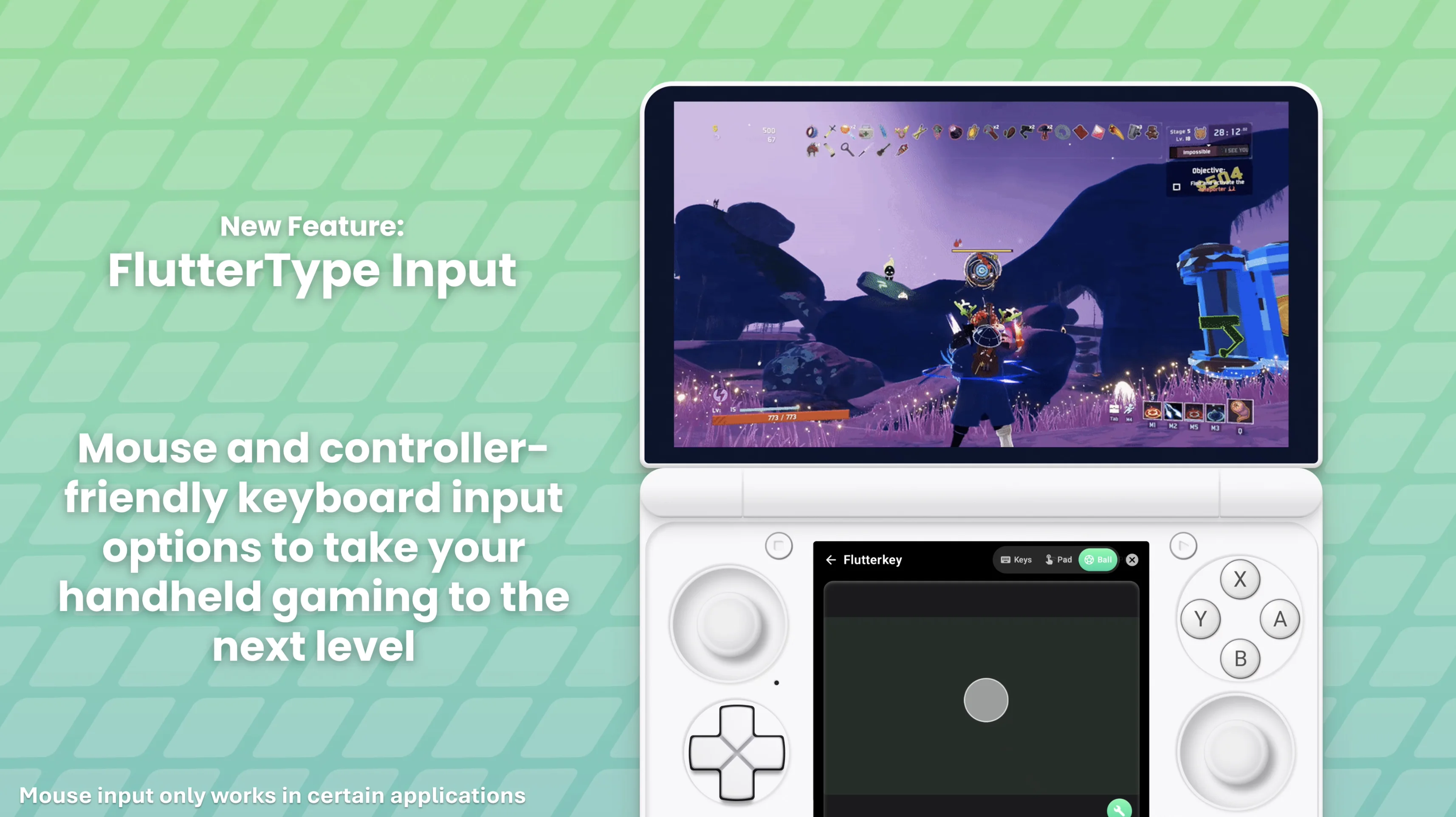
keyboard Flutterkey
An all-in-one keyboard, trackpad, and trackball for your bottom screen. This is our first “pod” and it’s surprisingly fun to use.
It has two input modes:
- Mouse mode mirrors your top screen with a reflected cursor
- Touch mode injects touch gestures directly for pinpoint accuracy
Customise sensitivity, glide, and haptic feedback to your liking. If you’re a fan of the Steam Deck trackpads, try Ball mode with touch mode and haptic feedback. It’s really close to that same feel.
timer Game Sessions & Tracking
Game tracking has been completely rebuilt. When you launch a game, Cocoon starts a session and tracks your playtime down to the second. If Cocoon loses focus of the game, the session pauses. When the game comes back into focus it picks right back up automatically, whether you’re coming from Android’s task switcher or the Now Playing bar.
You can configure a Grace Period in settings that auto-ends your session after a set time if you don’t reopen the game. No more phantom sessions running forever.
Discord Rich Presence is way better now too. It reflects your current game even while paused and only ends when you actually end the session or switch games. Timing is more accurate and art fallbacks are much smarter.
Android apps won’t be tracked unless you’ve categorised them as a game. There’s a new toggle in the edit dialog for that.
palette Theme Overhaul
Themes have been reworked pretty significantly.
Themes are now always modular and dynamically loaded. Nothing gets permanently copied into your base files anymore. The old Replace/Append system is gone. Instead, the theme menu now gives you individual dropdowns for each asset type so you can pick and choose exactly which parts of a theme to use. Colours from one theme, icons from another, music from a third. Full control.
All sound effects are now fully supported in themes. Exporting and importing has been fixed up to be consistent, and the wiki has been updated to reflect how everything actually works now.
We also added a clear theme dialog so you can wipe specific parts of your theme setup without nuking the whole thing.
select_all Multi-Select & Bulk Operations
Holding A on a game in Edit Grid mode now lets you multi-select. From there you can bulk move or remove games.
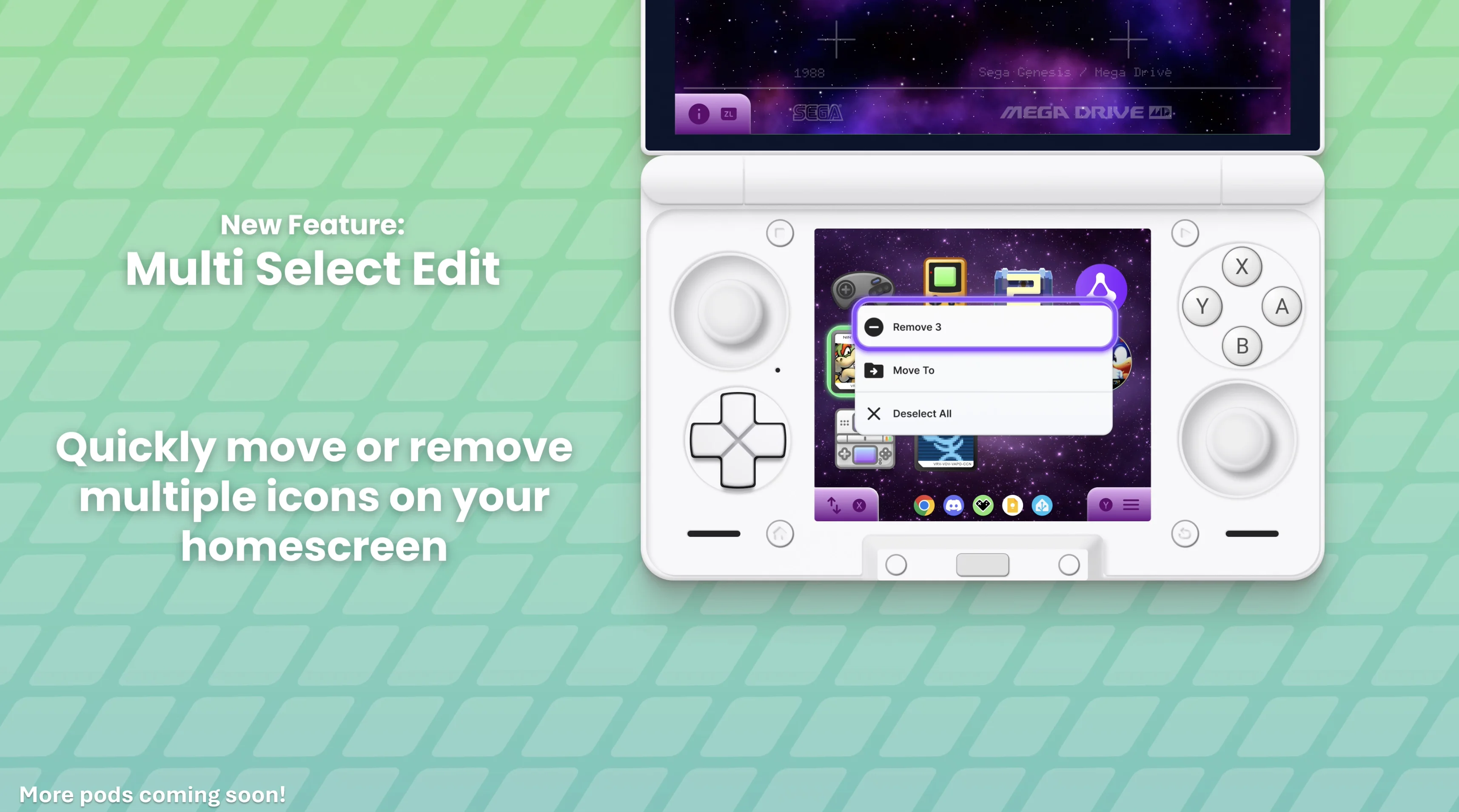
In smart folders, you can use Add to… to add your selected games to any folder. This works multiple times per game since we now support multiple shortcuts per game. On your home screen and in manual folders, Move to… moves selected games to a folder of your choice.
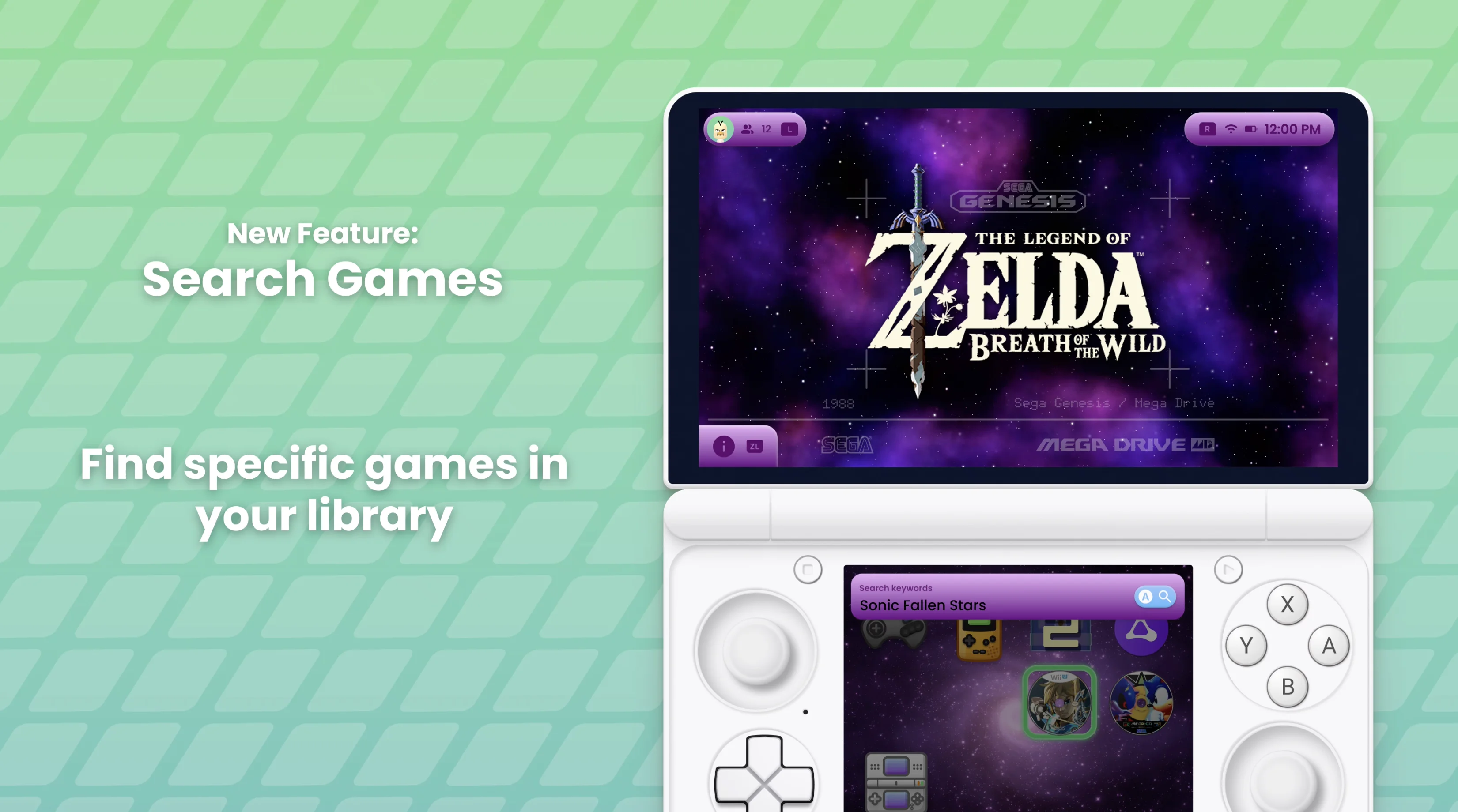
search Search
You can search your games now. Hit Start → Search and find what you’re looking for. Simple as that.
add_circle Add Games Grid
Tired of hunting through smart folders to add games one by one? Go to Start → New → Add Games and you’ll get a grid of every game not currently on your home screen. Select a bunch and add them all at once.
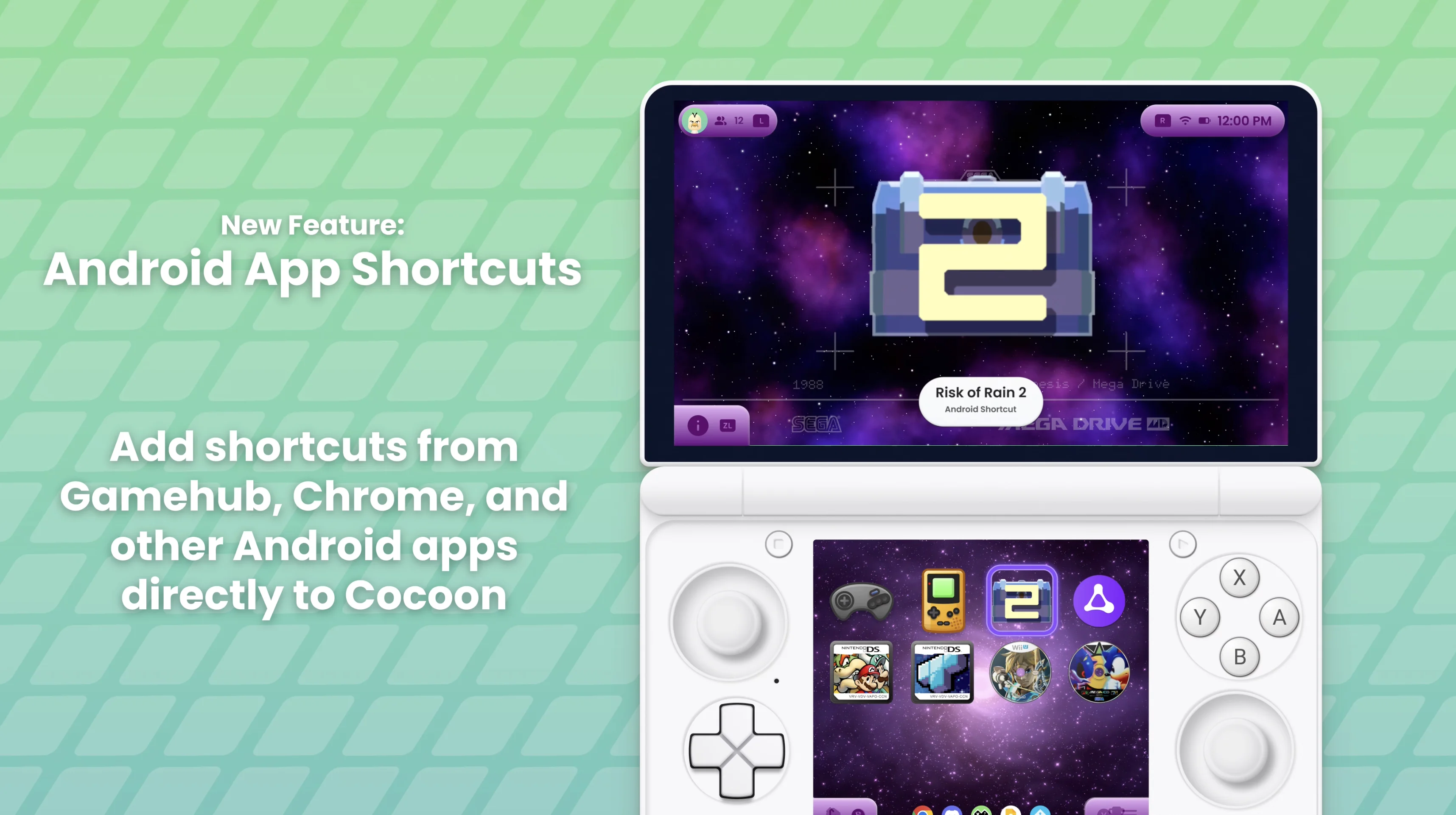
shortcut App Shortcuts
Cocoon now picks up shortcuts from other apps on your device. If an app supports Android’s “Add Shortcut” feature, it’ll show up in Cocoon. So for example, GameNative’s shortcuts just appear and you can add them like any other game, with full customisation support. Cocoon needs to be set as your default launcher for this to work.
folder Folder Improvements
- Games can live in multiple folders. Adding a game to a folder creates a shortcut, so the same game can appear on your home screen, in a genre folder, and in a favourites folder all at once
- New → Add Games now works inside folders too
- Deleting a folder gives you proper options: delete subfolders, remove games, or move them up to the parent/home
touch_app Highlight & Navigation
The highlight selection system got a full revamp. It no longer overshoots when the page is scrolling, follows items when you scroll with touch, and stops grid scroll inertia when you start navigating with a controller. Grid inertia in general is much snappier now, falling off faster instead of that slow drift.
Settings navigation has been improved too. Items are no longer slightly offscreen or hidden under gradients, and autoscroll keeps the focused item properly visible with better padding.
sports_esports Now Playing & Game Resume
Emulators no longer restart your games when you try to resume them. Minimising and reopening through Now Playing properly resumes from where you left off. This one was driving people nuts and it’s finally sorted.
trophy RetroAchievements
Scraping now automatically matches your games to RetroAchievements entries using intelligent fuzzy name matching. It handles region tags, version info, and other filename quirks so you don’t have to clean anything up yourself.
If the auto-detection gets it wrong, you can override it. Open the edit dialog on any game and you’ll see a RetroAchievements Game dropdown with the top candidates, including subset and variant games. You can also type in a custom game ID manually.
search Scraping & Library
- Improved scraping reliability overall
- Rescan specific platforms instead of your whole library. Pick which platforms to rescan and only those folders get processed
- Silk Pod now supports touch input
- Fixed permission issue that was clearing all media after applying images due to hitting the 128 URI permission cap. Permissions are now released once media is copied over
- Fixed rescanning with multiple ROM paths switching between folders instead of importing both
auto_awesome More Highlights
- Genre smart folders — create smart folders that auto-group your games by genre from scraped metadata
- Regex smart folders — create smart folders with custom name patterns. Comes with built-in suggestions for popular series like Mario, Zelda, Sonic, and more
- Animation Style settings — customise logo and background transition styles, and tweak animation speeds for menus, dialogs, and transitions
- Default Sort — choose how games are ordered in new folders (A–Z, Recently Played, Most Played, Date Added)
- Smart Subfolders — platform smart folders can now show subfolders inside them
- ES-DE Integration — link your ES-DE folder and Cocoon will use it as a fallback for game art and metadata
- Platform picker for shortcuts — assign a platform to app shortcuts so they get the right icon overlays and smart folder grouping
- Silk Pod has music packs (by @Anti)
- Pause GIF Unless Selected option for those of you with animated icons
- Cocoon Keyboard has haptic and visual feedback, and hides the controller highlight until a controller input is detected
- Now Playing preview on the bottom screen
- Battery percentage toggle and accuracy fix
- Permission recovery — if Android clears your folder permissions, Cocoon detects it and walks you through re-granting them instead of silently losing your media
- Emulator crash recovery — if an emulator crashes or gets killed, Cocoon handles it gracefully instead of getting stuck
- Start button now closes settings activities
- Faster theme loading on startup
- Optimised GIF & video playback
- Discord Rich Presence improvements across the board
- Settings reorganised with clear section headers
- Bottom screen no longer disappears on wake
Thank You
This update wouldn’t have been possible without all the testing, feedback, and patience from the community. Seriously, you all have been incredible throughout the supporter release cycle. We’re getting really close to going public and every crash report, every suggestion, every “hey this is broken” has helped shape 2.1 into something we’re really proud of.
Join the Discord to share your setups and feedback. If you’d like to support development, check out our Ko-Fi.
Download Beta 2.1